
Download PassGen – Free Secure Password Generator Tool
Overview of PassGen
In an era where data breaches and credential stuffing attacks dominate the headlines, having a strong, unique password for every account is no longer optional – it’s essential. PassGen answers that need by offering a simple, free, and highly customizable password‑generation experience. Whether you are a tech‑savvy professional, a casual internet user, or a small‑business owner looking to harden employee credentials, PassGen removes the guesswork from creating passwords that are both secure and memorable.
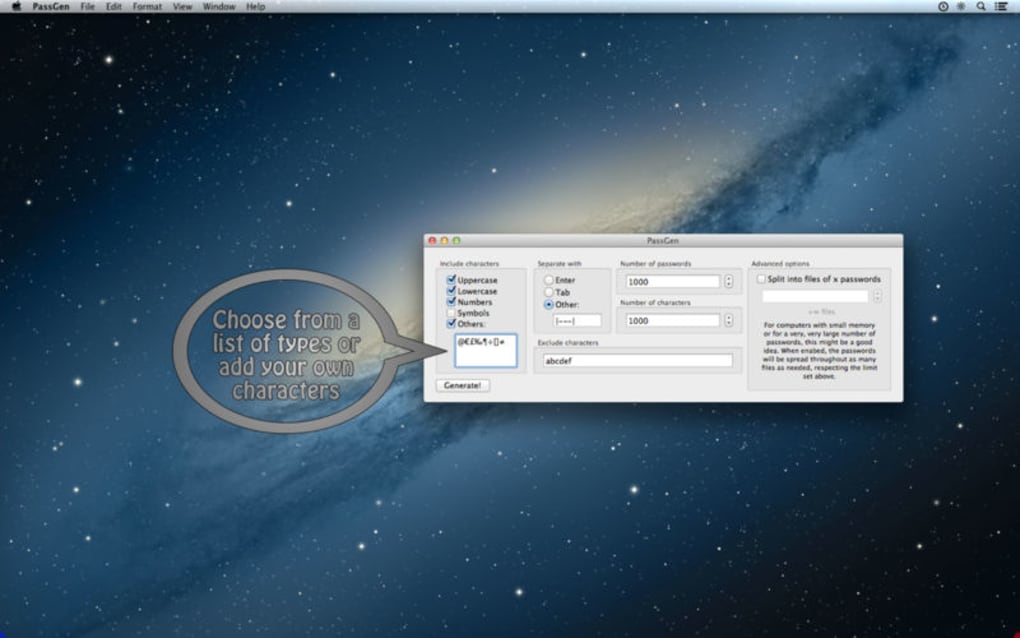
The tool lets you define the exact length of a password, choose which character sets are allowed (uppercase, lowercase, numbers, symbols, or even custom characters), and exclude ambiguous symbols that can cause typing errors. All of this is delivered through a lightweight, cross‑platform interface that runs on Windows, macOS, Android, and iOS. Because it’s free, there are no hidden subscription fees, trial periods, or annoying ads – you simply download, install, and start generating strong passwords instantly.
PassGen also stores a local history of generated passwords (optional) so you can reference them later without compromising security. The application adheres to modern cryptographic standards, using a built‑in random number generator that meets NIST recommendations for entropy. In short, PassGen is the go‑to utility for anyone who wants to protect their digital life without paying for premium password‑manager services.
Key Features and Benefits
- Fully Customizable Length: Set any length from 4 to 128 characters, giving you full control over password complexity.
- Selective Character Sets: Choose from uppercase, lowercase, digits, symbols, or supply your own custom character pool.
- Exclude Ambiguous Characters: Remove characters like “O”, “0”, “l”, and “1” to avoid confusion during manual entry.
- One‑Click Generation: Generate a new password instantly with a single button press, perfect for rapid account creation.
- Cross‑Platform Support: Native applications for Windows, macOS, Android, and iOS ensure a consistent experience on any device.
- Local History (Optional): Keep a private log of recently generated passwords for quick reference without syncing to the cloud.
- Zero Cost & No Ads: PassGen is completely free, with no hidden fees or intrusive advertising.
- Secure Random Engine: Uses a cryptographically secure pseudo‑random number generator (CSPRNG) to guarantee high entropy.
- Lightweight & Fast: The installer is under 5 MB and the app launches in seconds, even on older hardware.
- Regular Updates: Automatic update notifications keep the software patched against emerging security concerns.
Installation, Usage Instructions & Compatibility
How to Install PassGen on Windows, macOS, Android, and iOS
Windows: Download the .exe installer from the official website, run the file, and follow the on‑screen wizard. The installer will place a shortcut on your desktop and add PassGen to the Start menu. No administrator rights are required for the default installation path.
macOS: Grab the .dmg package, open it, and drag the PassGen icon into your Applications folder. macOS Gatekeeper may prompt you to confirm that you trust the developer – simply click “Open” to continue.
Android: Visit the Google Play Store, search for “PassGen – Free Password Generator,” and tap “Install.” The app requires Android 5.0 (Lollipop) or newer and will request permission to write to local storage if you enable the optional history feature.
iOS: Find PassGen in the Apple App Store, press “Get,” and authenticate with Face ID, Touch ID, or your Apple ID password. The iOS version runs on iOS 11 and later.
Step‑by‑Step Usage Guide
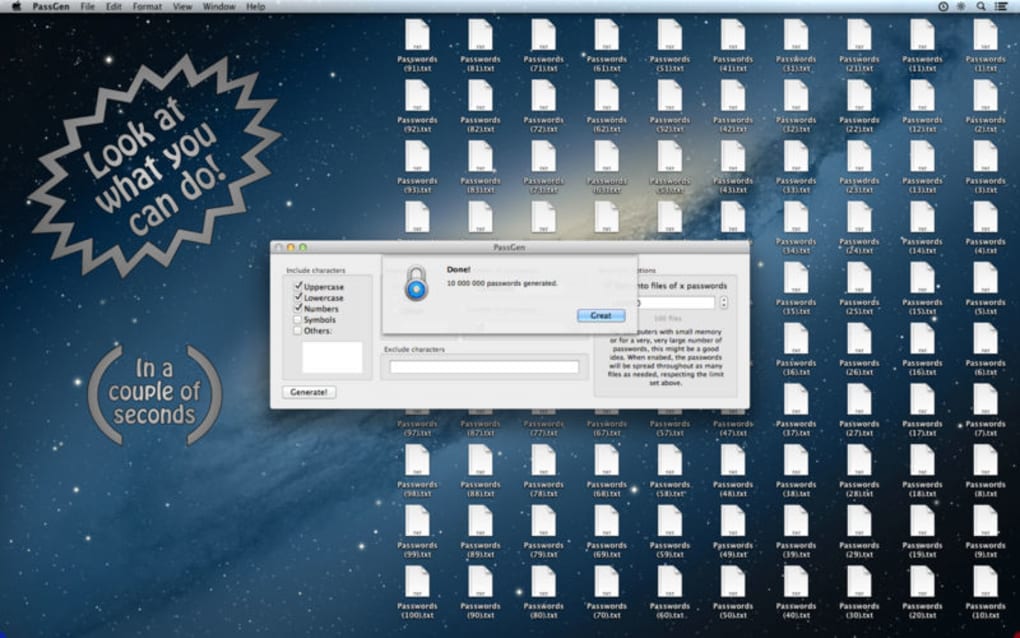
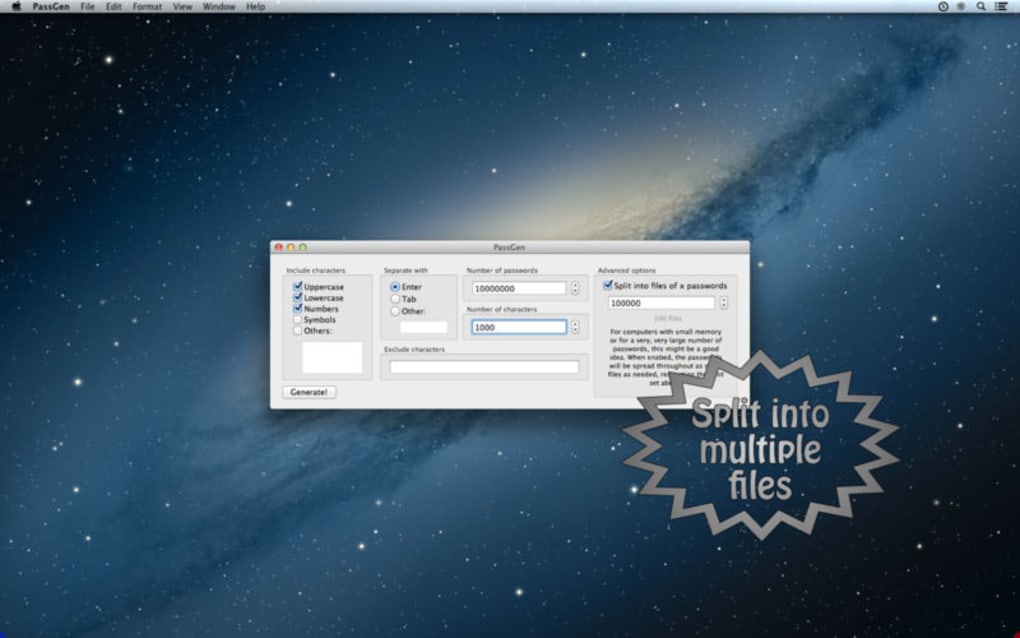
Once installed, launching PassGen presents a clean dashboard with sliders and checkboxes. Adjust the “Password Length” slider to your desired size, tick the boxes for the character types you wish to include, and optionally type any custom characters into the “Additional Set” field. Press the “Generate” button and a strong password appears instantly. You can copy it to the clipboard with a single tap, or click “Save to History” if you enabled that feature. The interface also offers a “Regenerate” button for quick alternatives and a “Strength Meter” that visualizes entropy in real time.
Supported Operating Systems: Windows 7, 8, 10, 11; macOS 10.12 (Sierra) and newer; Android 5.0+; iOS 11+.
Final Verdict, Pros & Cons, and Frequently Asked Questions
Pros
- Completely free with no hidden charges.
- Highly customizable password rules.
- Cross‑platform availability ensures consistency.
- Secure random number generation meets industry standards.
- Lightweight installer and fast performance.
Cons
- Does not include built‑in password storage or sync across devices.
- Local history is optional and not encrypted by default.
- No browser extension for on‑the‑fly generation.
Frequently Asked Questions
Is PassGen really free?
Yes. PassGen is 100 % free to download and use. There are no subscription fees, premium tiers, or in‑app purchases.
Can I use PassGen on a corporate network?
Absolutely. The executable is unsigned but can be run from any standard Windows, macOS, Android, or iOS environment. For corporate policies that require signed binaries, you may need to request an exception or contact the developer for a signed version.
Does PassGen store my passwords?
PassGen only offers an optional local history feature, which keeps a plain‑text list of passwords you choose to save. This feature can be disabled in settings, and the data is never transmitted to a server.
How does PassGen ensure password strength?
The application uses a cryptographically secure pseudo‑random number generator (CSPRNG) that complies with NIST SP 800‑90A recommendations. Combined with user‑defined character sets and length, this guarantees high entropy for every generated password.
Will PassGen receive regular updates?
Yes. The development team releases updates at least quarterly, addressing bug fixes, compatibility with new OS releases, and occasional feature enhancements.
PassGen stands out as a no‑frills, reliable password generator that hits the core needs of security‑focused users. Its flexibility, zero cost, and cross‑platform reach make it a solid addition to any personal or professional security toolkit. While it lacks a built‑in vault, pairing it with a separate password manager creates a powerful, cost‑effective workflow.
Conclusion & Call to Action
If you’re tired of reusing weak passwords or paying for pricey password‑manager subscriptions, PassGen offers a refreshing alternative that emphasizes security, customizability, and accessibility. The straightforward interface lets you generate strong, unique passwords in seconds, and because it’s free, you can deploy it across every device in your household or office without worrying about licensing. Download PassGen today, configure the character rules that match your security policy, and take the first step toward a more protected digital life.
Download PassGen now and start generating passwords that stand up to modern threats.







